How to Book
System Upgraded
We've upgraded our Sabah Car Rental Booking System to a newer, improved version for a smoother experience.
Please click the button below to access the new system.
Access Sabah Car Rental System
If the button doesn't work, copy and paste the link into your browser.
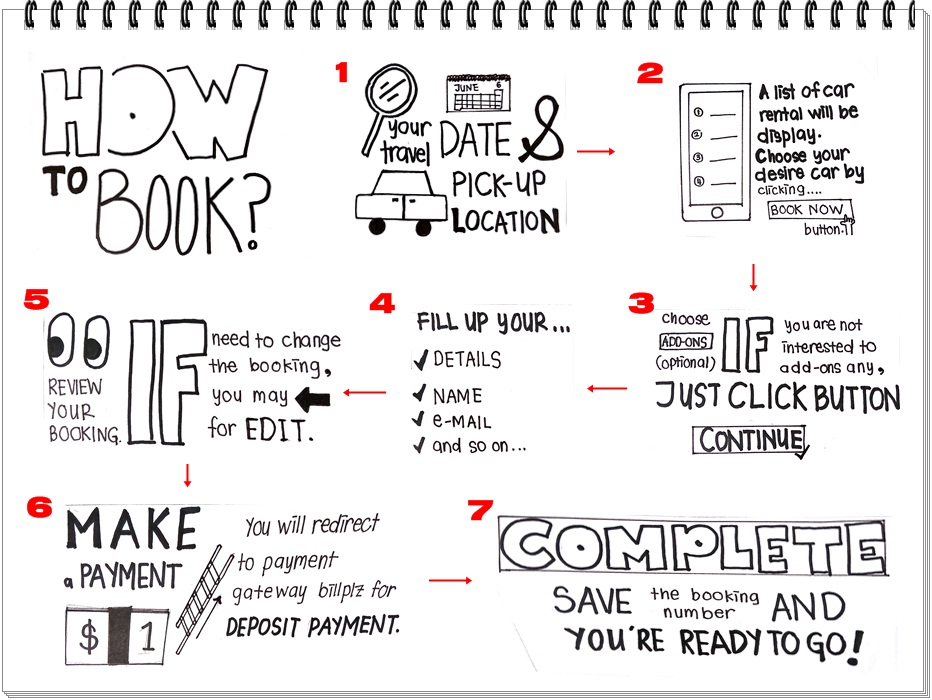
1. Search your travel date and pick-up location
2. A List of car for rental will be display, choose your desire car by clicking BOOK NOW button.
3. Choose Add-ons (optional). If you not interested to add any add-ons, just click button continue.
4. Fill up your details, name, email and so on.
5. Review your booking. If need to change the booking, you may go back for edit.
6. Make a payment. This stage - you will redirect to payment gateway billplz for deposit payment.
7. Complete. Save the booking number and you're ready to go.
BOOK NOW